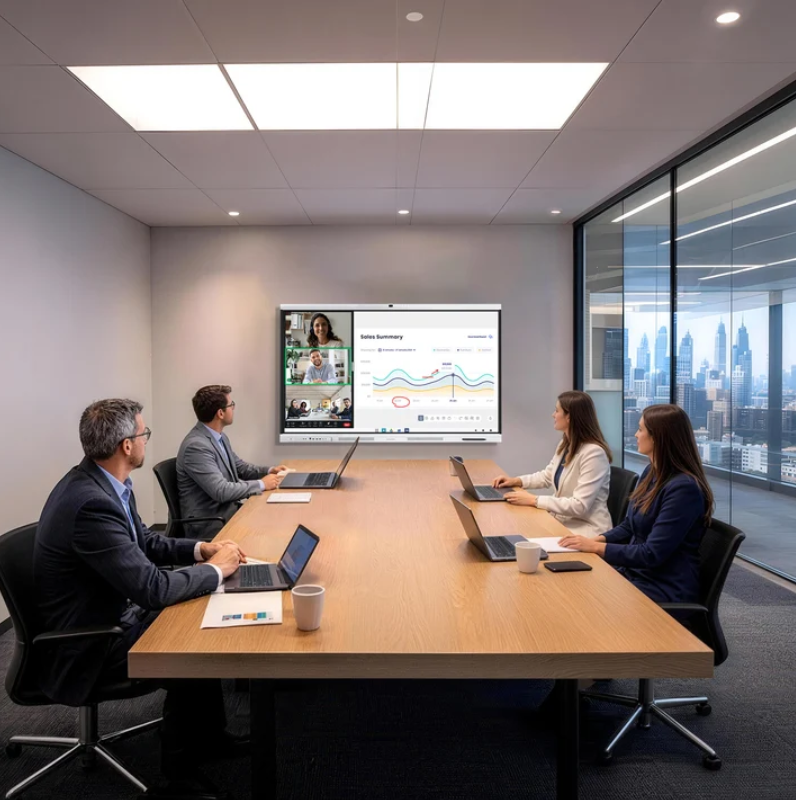
Hybrid meetings have become a regular part of business operations. Employees may join from headquarters, regional offices, home workspaces, or customer sites. However, meeting quality can vary when each office uses different cameras, displays, microphones, and conferencing setups. These differences affect communication and make technical support more difficult. Standardizing meeting room equipment helps businesses create a more consistent experience across locations.
Why Consistency Matters Across Meeting Rooms
When employees move between offices, they should not need to learn a completely different meeting setup each time. A familiar interface and consistent equipment arrangement can reduce the time spent preparing for calls. Staff can focus on discussions instead of troubleshooting connections or adjusting display settings.
For IT teams, mixed equipment creates additional work. Different devices may require separate installation procedures, firmware checks, accessories, and support instructions. A standardized configuration makes it easier to document room requirements and train local teams. It also gives procurement departments a clearer basis for comparing equipment costs and planning future replacements.
Consistency is especially useful for companies with frequent cross-office meetings. Participants should be able to see presentations, follow speakers, and contribute to discussions without being distracted by avoidable technical problems. A shared equipment standard provides a practical starting point, although room size, network conditions, and meeting purposes still need individual consideration.
Choose Equipment That Fits Professional Meetings
An all-in-one meeting board can simplify room planning by combining display and conferencing functions in one device. Instead of coordinating several separate components, businesses can evaluate a more integrated setup. This may reduce cable clutter and simplify installation, particularly in smaller meeting rooms or offices with limited space.
Camera performance deserves particular attention when remote participants need to read facial expressions and follow discussions. The supplied specifications for the NewBoard P series for business describe a 48MP 4K conferencing camera with intelligent 3A functions. These include automatic exposure, focus, and white balance. Together, these features support clear video under changing meeting conditions.
The camera also provides a 108° ultra-wide field of view with accurate color and ultra-low distortion. This coverage can help include multiple people seated across a meeting table. Room layout still matters. The camera should be positioned to capture participants naturally, while lighting and seating arrangements should be reviewed before the equipment standard is finalized.
Build a Repeatable Room Configuration
Standardization works best when businesses define a practical room template before purchasing equipment in volume. A small huddle room may need a different layout from a boardroom used for presentations and executive discussions. The goal is not to make every room physically identical. It is to keep the user experience and core operating procedures consistent.
Start by identifying the functions required in each room category. These may include video conferencing, screen presentation, document review, and collaboration with remote colleagues. Procurement teams can then specify the necessary display size, camera coverage, connectivity, mounting method, and supporting accessories. Requirements should reflect actual use rather than an assumption that every room needs the same configuration.
Businesses should also document how rooms are connected and maintained. Standardized cable arrangements, equipment labels, account settings, and startup instructions can help employees use rooms with less assistance. IT teams should record approved configurations and define who handles software updates, troubleshooting, and equipment replacement.
Make Camera Coverage Part of the Room Plan
Camera specifications need to be assessed alongside room dimensions and seating positions. A wide field of view can accommodate several participants, but it does not remove the need for suitable camera placement. If a table is too long or participants sit outside the intended coverage area, some faces may remain difficult to see during a call.
Lighting is another practical consideration. Strong backlighting from windows can affect how faces appear on screen. Uneven overhead lighting may also change image quality. Automatic exposure and white balance can help the camera respond to different conditions, while intelligent focus supports image clarity. Businesses should still test rooms under their normal lighting conditions before approving a standard setup.
For organizations comparing the NewBoard P series for business across different locations, a pilot installation can reveal whether the camera coverage suits common meeting layouts. Testing should include a small group discussion, a presentation, and a call with remote participants. Feedback from both local employees and remote attendees can guide adjustments before wider deployment.
Plan Deployment and Ongoing Support
A room standard should cover more than the initial equipment purchase. Businesses need a deployment checklist that includes delivery, installation, network access, conferencing compatibility, staff guidance, and acceptance testing. Applying the same checklist across offices helps local teams follow a shared process and reduces differences between installations.
The Nework smart board range is relevant to this discussion because the company presents its meeting board offering as an all-in-one solution for professional video conferencing. For procurement teams, the practical step is to confirm how the selected configuration fits existing conferencing workflows, room requirements, and internal IT policies before committing to a multi-site rollout.
Support planning should also be addressed early. Companies can assign local contacts, establish a troubleshooting process, and maintain records of installed equipment. They should confirm available warranty coverage, software support arrangements, and replacement procedures with the supplier. Clear responsibilities help prevent minor equipment issues from disrupting scheduled meetings across several offices.
A Consistent Experience Starts With Clear Standards
Standardizing hybrid meeting rooms requires a balance between shared requirements and local conditions. Businesses benefit from consistent operating procedures, documented configurations, and equipment selected for real meeting needs. Camera coverage, lighting, network readiness, and employee training all contribute to the final experience.
A Nework smart board can be considered as part of this planning process when organizations assess integrated conferencing equipment. By defining room categories, testing representative spaces, and preparing a support plan before deployment, procurement and IT teams can build a repeatable approach to hybrid meetings across offices.
